
AI Face Swap Video Generator on FluxoKit
Compare models in one FluxoKit canvas while U.S. USD Stripe checkout is pending approval.
Replace the main actor in a video with the character from an image. The scene stays, the face and body change. Same canvas that creates and edits video, U.S. paid checkout is pending entity and Stripe approval; final USD pricing, credits, and refund handling follow the published policy once billing opens.
Why Run AI Face Swap on FluxoKit
Swapping the character in a video usually means frame-by-frame edits or expensive English-only VFX tools.
On FluxoKit you upload a reference image of the new character plus the source video, and the model rebuilds the scene while keeping motion and framing. No video editor, no VFX, same plan that unlocks 90+ other models.
How to Use
- Open the studio at
/workflow. - Pick AI Face Swap in the video editing category.
- Upload the reference image and the source video.
- Generate. You get the same scene with the new character in seconds.
Use Cases
- UGC - reuse a winning video by swapping the creator.
- Info products - keep a consistent digital character across courses or VSLs.
- Localization - adapt the on-screen actor for a different market.
- Creative testing - vary the face of an ad without reshooting the scene.
What Makes a Good Swap
The model rebuilds a scene around a new character, so two inputs decide the result: a clean reference image and a clear source video. A reference with a well-lit, front-facing subject gives the model the most to work with. A source video with one obvious main character and steady framing swaps more cleanly than a crowded or fast-cut scene. Short reference clips with the actor clearly visible deliver the most consistent output. Scenes with several faces, heavy motion blur, or rapid cuts are the hardest to swap cleanly, so a single, steadily framed lead is the safest source.
What Stays and What Changes
The swap preserves the scene's motion, expression timing, and framing while replacing the face and body of the lead. A clip you already know performs can be reused with a different actor instead of reshooting it. The camera move, the pacing, and the edit stay intact, so the new version drops straight into the same slot.
Keep One Character Across a Series
Reuse the same reference image to apply one character across many videos. That is how you keep a consistent on-screen identity for an ad set, a course, or a content series without booking the same person for every shoot. Generate the variations you need and the look stays coherent across the whole campaign.
Where Character Swap Fits
Face swap is an editing step, not a generation engine. Create or source the base video first, with Seedance, Kling AI, or your own footage, then swap the lead. For a fully synthetic presenter instead of a swap, the AI Avatar Generator is the better starting point. Run the swap last, after the cut is locked, so the new character carries the final timing and you are not re-swapping every revision.
Connect It With
Run the swap beside the rest of your video stack. Assemble and refine in the AI Video Editor, build the spoken character in the AI Avatar Generator, or generate fresh source clips in the AI Video Generator.
Pricing
U.S. paid checkout is pending entity and Stripe approval; final USD pricing, credits, and refund handling follow the published policy once billing opens. No production team, no reshoots.
Pair AI Face Swap with the AI video editor hub or jump into the AI avatar generator for full character workflows.
Examples
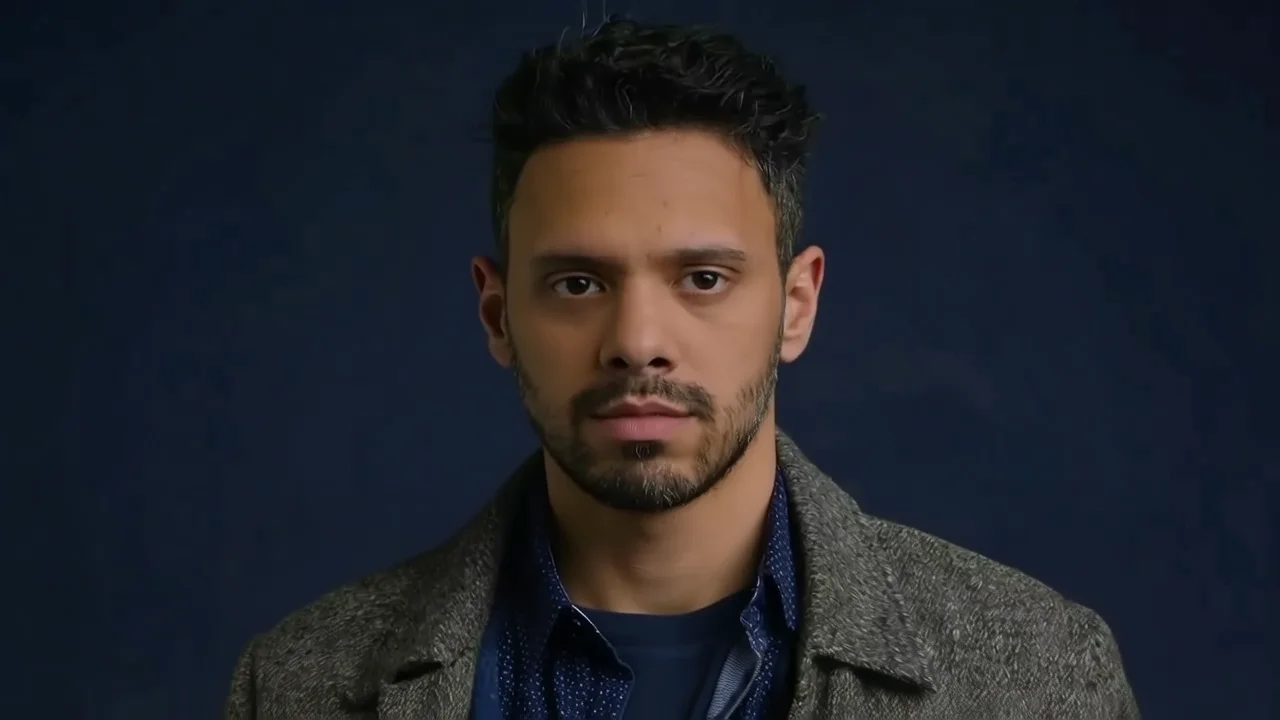
Real generations with Troca de Personagem
Frequently asked questions
What is AI face swap on video?
AI face swap replaces the main character of a video with the person in a reference image. You upload a photo of the new character plus the reference video, and the model rebuilds the scene while preserving movement, expression, and framing.
Do I need a video editor or VFX skills?
No. On FluxoKit the swap runs entirely in the canvas: upload the image, upload the video, and generate. No frame-by-frame edit and no VFX software.
How much does AI face swap cost on FluxoKit?
U.S. paid checkout is pending entity and Stripe approval; final USD pricing, credits, and refund handling follow the published policy once billing opens. No production team, no reshoots.
Can I keep the same character across multiple videos?
Yes. Reuse the same reference image to apply the character across different scenes and keep a consistent look across an entire ad set or content series.
Next step
Use Troca de Personagem without signing up for Alibaba Cloud.
90+ AIs in one studio. U.S. USD Stripe billing is pending entity and account approval, with no separate subscription per model planned.
Related content
Category
AI Art Generator: Illustration, Style, Design | FluxoKit
Category
AI Avatar Generator: Profile, Brand, Streaming | FluxoKit
Category
AI Brand Creative Generator for Consistent Assets | FluxoKit
Category
AI Carousel Generator for Instagram and LinkedIn | FluxoKit
Category
AI Display Ad Generator for Banner Variants | FluxoKit
Category
AI Headshot Generator: Studio Portraits on One Canvas | FluxoKit